
Download
PDF, 172 KB · Word (.docx), 39 KB
No form, no email address, no sign-up. Both files download straight away.
What this is
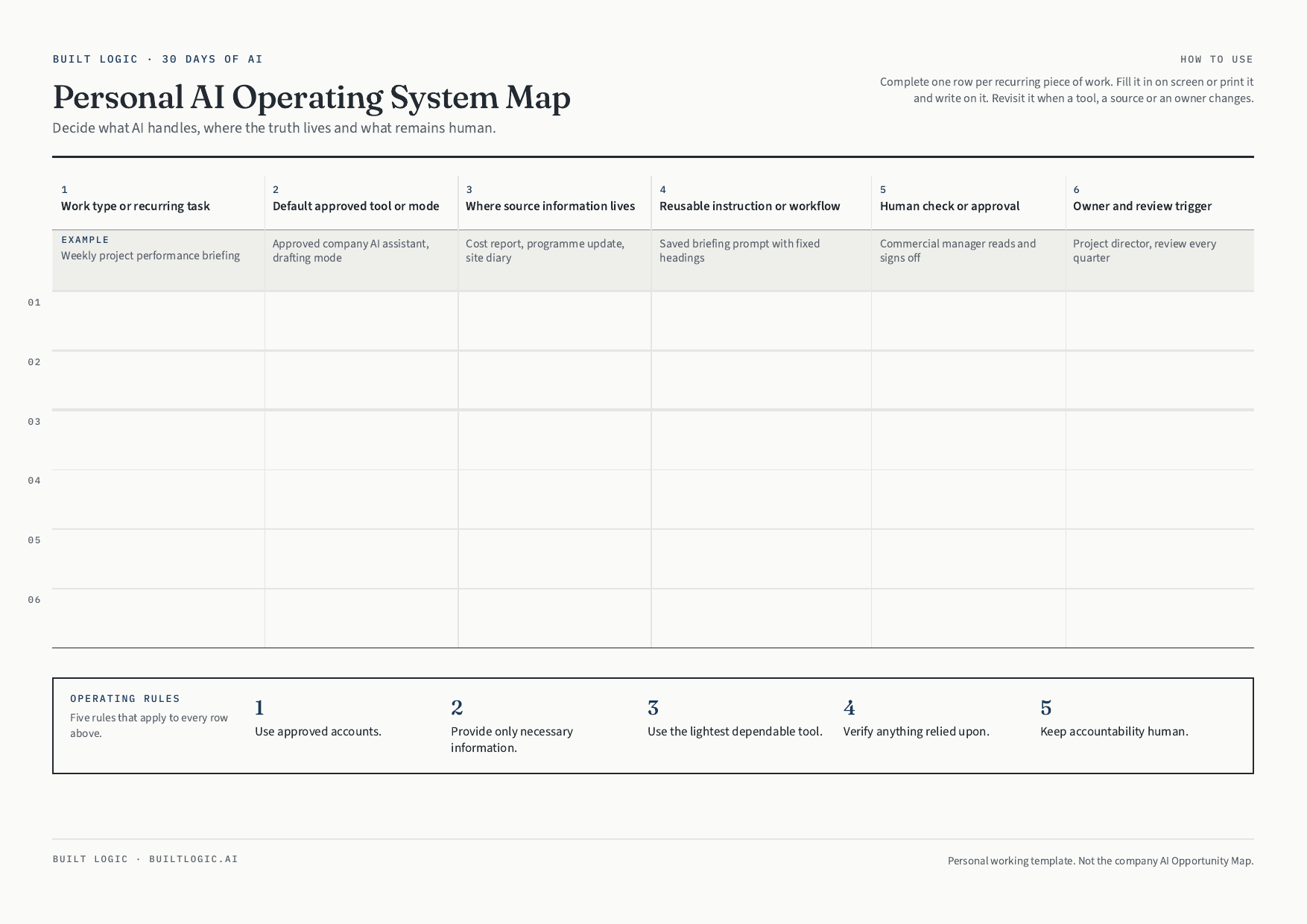
This is the one-page template 30 Days of AI Tips ends with, the daily email series for anyone in a construction company, whatever their role. It is the page you keep after the emails stop.
Most people end up with AI scattered across half a dozen tools, no agreed place for the real information, and no clear line about who signs off what. This template fixes that in one sitting. You write down the work you actually repeat, the tool you have approved for it, where the real information lives, the instruction you reuse, who checks it and who owns it.
- Six rows, six columns, one page. It fits on a desk, not in a folder.
- One worked example so the first row is never a blank page.
- Five operating rules that apply to every row you write.
- Prints cleanly in black and white if you would rather fill it in by hand.
How to use it
Start with the work that eats the most of your week. Complete one row for it, end to end, before you add a second. A single row you actually follow is worth more than six rows you wrote once and never opened again.
Come back to it when a tool changes, a source moves or the owner leaves. That’s what column six is for, and it’s the column most people skip.
Next step
Want to map the wider business?
Three priorities for your business, ranked by what each one puts back, and the one to start with.
Where do we start with AI?